
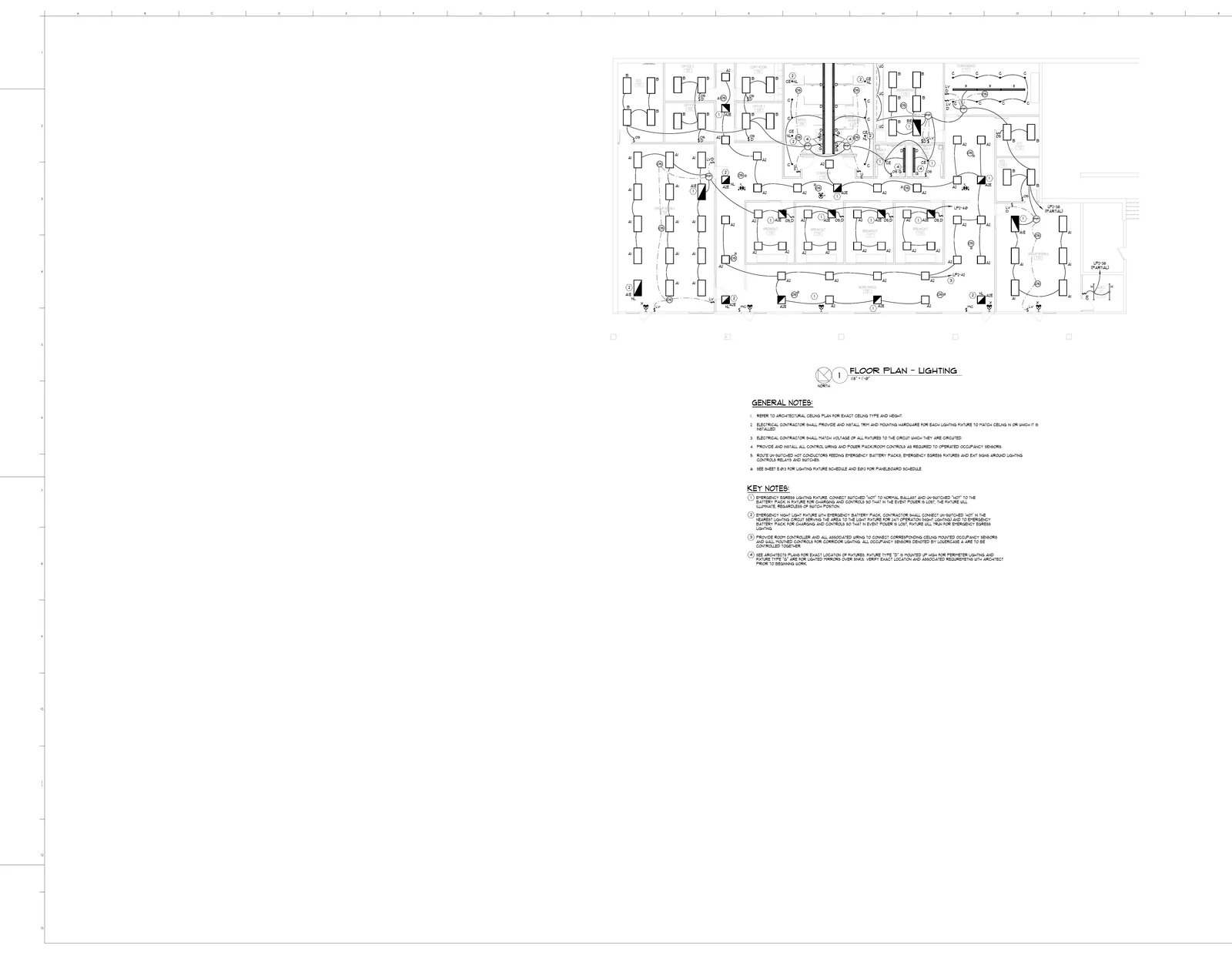
Dual tech ceiling occupancy sensor
20 EA
1/8" = 1'-0"92%
Upload your blueprints and get accurate quantity takeoffs in minutes. AI-powered construction takeoff software that counts symbols, measures areas, and generates material lists from PDF plans.
Construction takeoff is the process of analyzing blueprints and construction drawings to determine the exact quantities of materials, components, and labor needed to complete a building project. The term originates from the act of “taking off” measurements directly from architectural plans. Every accurate construction estimate begins with a thorough takeoff — without knowing what materials you need and in what quantities, it is impossible to price a job correctly.
A quantity takeoff (QTO) focuses specifically on counting and measuring every item shown on the plans: linear feet of pipe, square footage of drywall, cubic yards of concrete, and individual counts of fixtures like outlets, switches, and diffusers. The result is a comprehensive bill of quantities that forms the backbone of the estimate.
A material takeoff (MTO) goes one step further by converting those quantities into specific products and materials needed for procurement. While a quantity takeoff might list “450 linear feet of 3/4-inch copper pipe,” a material takeoff specifies the exact product SKUs, accounts for waste factors (typically 5-15%), and includes all accessories like fittings, hangers, and sealants. Together, quantity and material takeoffs give contractors a complete picture of what a project requires before a single shovel hits the ground.
From paper to AI — how takeoff methods have evolved
| Type | Description | Best For | Accuracy | Speed |
|---|---|---|---|---|
| Manual (Paper) | Scale ruler and colored pencils on printed plans. Measurements recorded on paper or worksheets. | Small residential projects, simple scopes | Medium | Slow |
| Spreadsheet-Based | Manual measurements entered into Excel or Google Sheets with formulas for calculations. | Contractors with standardized project types | Medium | Medium |
| Digital (On-Screen) | Point-and-click measuring on PDFs using software like PlanSwift or Bluebeam. | Mid-size commercial, multi-trade projects | High | Medium |
| AI-PoweredRecommended | Upload PDF plans and AI automatically detects symbols, measures areas, and generates material lists. | High-volume bidding, all project sizes | Very High | Fast |
A step-by-step guide with worked examples for accurate quantity takeoffs
Collect all project drawings including architectural, structural, mechanical, electrical, and plumbing plans. Organize them by trade and sheet number. For a typical 10,000 sq ft commercial build, you may have 30-80 sheets to review.
Read the specifications and general notes on each sheet. Identify which drawings are relevant to your trade. Note the scale (e.g., 1/4" = 1'-0") and any special conditions. Mark up areas that need detailed measurement.
Using either a scale ruler (manual), on-screen measuring tool (digital), or AI analysis, measure all linear lengths, areas, and volumes. Count all symbols, fixtures, and components. For example, on an electrical plan: count every outlet, switch, light fixture, and panel, then measure conduit runs.
Convert your raw measurements into material quantities using waste factors and industry standards. A 500 sq ft drywall area requires approximately 16 sheets of 4x8 drywall (500 / 32 = 15.6, rounded up), plus 10% waste factor = 18 sheets total.
Group your quantities by CSI division or trade category. Create line items for every material including size, type, and quantity. Cross-reference with specifications to ensure correct product selections. This organized list becomes the basis for pricing.
Cross-check your takeoff against the plans one final time. Look for missed items, especially items shown on one sheet but not another. Compare quantities against rules of thumb (e.g., commercial electrical typically runs $15-25 per sq ft). Have a second estimator spot-check critical quantities.
BuildVision AI handles steps 3-5 automatically. Upload your PDF plans and get symbol counts, area measurements, and organized material lists in minutes instead of hours.
How different takeoff methods compare across the metrics that matter
| Feature | Manual | Digital Software | AI-Powered |
|---|---|---|---|
| Speed | 8-40 hours | 4-16 hours | 15-60 minutes |
| Accuracy | 85-92% | 92-96% | 95-98% |
| Cost per Takeoff | $400-$2,000+ (labor) | $200-$800 (labor + license) | $50-$200 (software) |
| Learning Curve | Years of experience | Weeks to months | Hours to days |
| Scalability | Limited by staff | Moderate | Highly scalable |
| Multi-trade Support | Trade-specific expertise needed | Generic measuring tools | Trade-specific AI models |
What to measure and count for each construction trade
Key Items
Outlets, switches, fixtures, panels, conduit, wire
Measurements
Symbol counts, linear feet of conduit/wire, circuit loads
Always check reflected ceiling plans for fixture layouts - they often differ from floor plans.
Key Items
Fixtures, pipe, fittings, valves, water heaters
Measurements
Fixture counts, linear feet of pipe by diameter, fitting counts
Count fixtures from floor plans, then calculate pipe lengths from isometric or riser diagrams.
Key Items
Ductwork, diffusers, units, thermostats, dampers
Measurements
Duct area (sq ft of sheet metal), linear feet, equipment counts
Measure ductwork in both dimensions to calculate sheet metal area. Do not forget transitions and elbows.
Key Items
Concrete, rebar, forms, anchors, sealant
Measurements
Cubic yards, linear feet of rebar, square feet of formwork
Calculate concrete volume carefully - a 1-inch error in slab thickness on 10,000 sq ft equals 31 extra cubic yards.
Key Items
Beams, columns, connections, bolts, decking
Measurements
Tonnage by member type, linear feet, connection counts
Takeoff steel by piece mark and weight. Include connections, shims, and miscellaneous steel that add 5-10% to total tonnage.
Key Items
Membrane/shingles, insulation, flashing, fasteners, drains
Measurements
Roof area (squares), linear feet of edge/flashing, penetration counts
Measure from roof plans, not floor plans. Account for slope factor - a 4:12 pitch multiplies flat area by 1.054.
Key Items
Drywall sheets, metal studs, track, tape, joint compound, corner bead
Measurements
Wall area (sq ft), sheet counts, linear feet of framing, finishing quantities
Convert wall area to sheet counts using 4x8 or 4x12 sheets, then add 10-15% waste factor.
Key Items
Paint, primer, caulk, tape, drop cloths, rollers
Measurements
Wall/ceiling area (sq ft), trim linear feet, gallons by coat count
Calculate total surface area then multiply by number of coats. One gallon covers ~350 sq ft per coat.
Key Items
Tile, carpet, LVP, hardwood, underlayment, transition strips
Measurements
Floor area by material type, transition strip linear feet, waste quantities
Waste factors vary by material: tile 10-15%, carpet 5-10%, hardwood 5-8%. Always measure from finish plans.
Key Items
Sprinkler heads, pipe, fittings, hangers, valves, alarm devices
Measurements
Head counts by type, linear feet of pipe by diameter, fitting and hanger counts
Count heads from reflected ceiling plans. Pipe diameters decrease from mains to branch lines - measure each run separately.
A: A construction takeoff is the process of reviewing blueprints and construction plans to determine the quantities of materials, labor hours, and equipment needed to complete a project. It forms the foundation of every construction estimate. The term "takeoff" comes from the act of "taking off" measurements from architectural drawings.
A: A quantity takeoff (QTO) is a detailed list of all materials and their quantities needed to complete a construction project. It involves measuring lengths, areas, and volumes from blueprints, then converting those measurements into material counts. For example, measuring wall lengths to determine how many linear feet of framing lumber are needed.
A: A takeoff determines what materials and quantities are needed by measuring plans. An estimate applies pricing to those quantities to calculate total project cost. The takeoff comes first - you must know what you need before you can price it. A takeoff answers "how much material?" while an estimate answers "how much money?"
A: Manual takeoffs for a mid-size commercial project typically take 8-40 hours depending on complexity. Digital on-screen takeoff software can reduce this to 4-16 hours. AI-powered takeoff tools like BuildVision shorten the work further by automatically detecting and counting symbols, measuring areas, and generating material lists for the estimator to review.
A: Popular takeoff software includes PlanSwift, Bluebeam Revu, On-Screen Takeoff, STACK, and BuildVision AI. Traditional tools require manual point-and-click measuring. AI-powered platforms like BuildVision automate the process by analyzing blueprints and extracting quantities automatically from PDF plans.
A: Yes. Modern AI takeoff software can analyze PDF blueprints, recognize construction symbols, measure areas and lengths, and generate material lists automatically. AI is especially effective for repetitive counting tasks like electrical fixtures, plumbing fixtures, and HVAC components. Most contractors use AI as a starting point, then review and adjust the results.
A: Every construction trade needs takeoffs, including electrical, plumbing, HVAC, concrete, structural steel, roofing, drywall, painting, flooring, fire protection, and landscaping. General contractors need takeoffs across all trades. Each trade has specific measurement types - electricians count fixtures and measure conduit runs, plumbers count fixtures and measure pipe lengths, and HVAC technicians calculate duct areas and count diffusers.
A: AI takeoffs typically achieve 90-98% accuracy on symbol counting and area measurements, comparable to experienced human estimators. Accuracy depends on plan quality - clean, high-resolution PDFs produce the best results. Most contractors review AI results and make minor adjustments, spending 10-15 minutes on verification versus hours on manual counting.
Book a demo
Bring your plan set and estimating process to the demo. We’ll show how to review quantities and discuss the setup and support your team needs.