
AI Bill of Quantities
Turn blueprint takeoffs into a structured bill of quantities. Review items, quantities and units, organize the scope, and apply your material and labor pricing before preparing a quote.
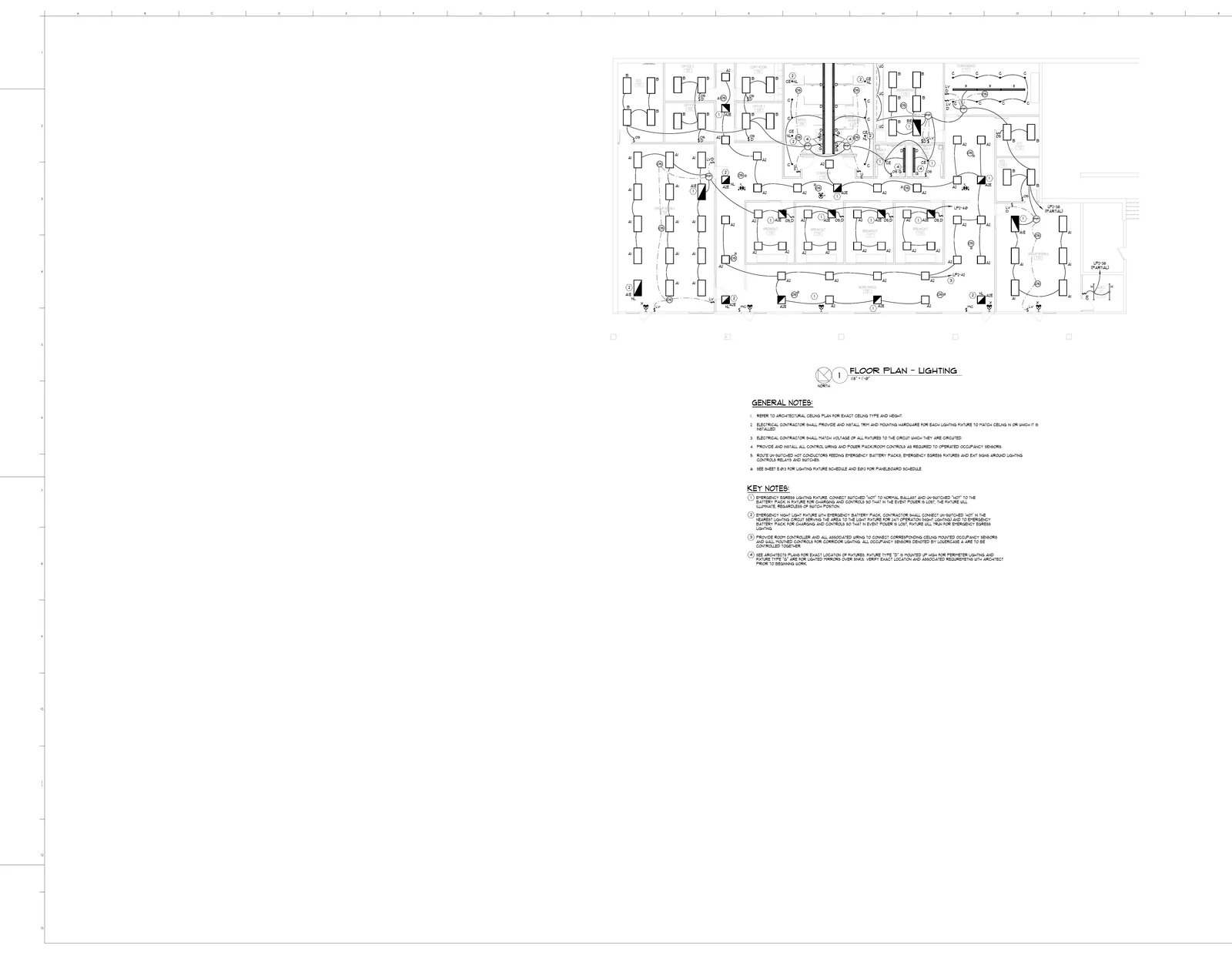
| CSI | Item | Qty | Unit | Budget |
|---|---|---|---|---|
| 26 51 13 | A2 recessed direct fixture | 35 | EA | $5,950 |
| 26 51 13 | B shallow plenum fixture | 21 | EA | $4,620 |
| 26 51 19 | A1 recessed fixture | 18 | EA | $3,960 |
| 26 05 19 | #12 lighting branch runs | 43 | LF | $1,548 |
| 26 09 23 | Occupancy sensor switch | 20 | EA | $2,740 |
Features
Structured BOQ Output
Every item organized by trade package, section, and CSI division code. Quantities, units, and waste factors calculated automatically — ready for your pricing spreadsheet or procurement team
AI Material Extraction
AI helps identify items from plan legends and drawings. Review the result against schedules, notes and details, then add missing scope and correct detections before pricing
Multi-Trade Support
Electrical, plumbing, HVAC, fire protection, and structural — one upload produces a BOQ covering every discipline in the plan set. No need to process trades separately
Excel & PDF Export
Export to Excel with formulas for pricing, or generate a formatted PDF for submittals and owner reviews. Column headers match industry-standard BOQ formats
Edit Before Export
Add items the AI missed, remove duplicates, adjust quantities, or split line items into sub-items. You stay in full control before anything leaves your desk
Minutes, Not Days
A set of plans that would take days to compile manually produces a complete BOQ in minutes. Bid on more projects without hiring more estimators
Process
How It Works
Upload Plans
Drag and drop your PDF blueprints into BuildVision — single sheets or full plan sets with architectural, mechanical, electrical, and plumbing drawings
AI Extracts Items
AI reads every sheet, parses legends and schedules, identifies materials and quantities, calculates waste factors, and organizes everything by trade and CSI code
Review BOQ
Check the structured output against the plans, adjust quantities, add or remove items, and plug in your unit pricing. Visual overlays show what was extracted from each sheet
Export & Price
Download a formatted Excel workbook ready for pricing, generate a PDF for submittals, or push the BOQ directly into your quoting workflow
- Complete BOQs in minutes instead of days
- Structured output organized by trade and CSI code
- Reduce missed items and quantity errors
- Export-ready formats for Excel and PDF
- Covers electrical, plumbing, HVAC, and structural
- Edit and adjust before exporting
The Problem
- Compiling a BOQ by hand means days of flipping between plan sheets, cross-referencing legends, and manually entering every line item into a spreadsheet
- Missed items show up as change orders on site — eating your margin and damaging client trust
- Every estimator formats BOQs differently. Procurement gets confused, suppliers quote wrong items, and nothing matches up
Our Solution
- AI reads every sheet in the plan set and compiles a complete, structured BOQ with quantities, units, and waste factors
- Review AI quantities against legends, schedules and details so missing scope and duplicate detections can be corrected before pricing
- Consistent formatting every time — organized by trade, CSI code, and section in industry-standard Excel layouts
Estimating in practice
What a reviewable bill of quantities should contain
Every BOQ line should answer four questions: what is included, where it came from, how much was measured, and how it was priced. Keep measurement and allowance in separate columns so a price update does not hide a quantity change.
The E320 showcase contains 35 A2 fixtures and 21 B fixtures. This example prices only those two types; it is not the full lighting scope.
| Item / reference | Measured | Allowance | Priced qty | Material / unit | Labor h / unit | Direct cost |
|---|---|---|---|---|---|---|
| A2 recessed LED fixtureE320 | 35 EA | 0% | 35 EA | $210.00 | 1.5 | $11,287.50 |
| B shallow-plenum LED fixtureE320 | 21 EA | 0% | 21 EA | $190.00 | 1.6 | $6,510.00 |
| Direct-cost subtotal for these lines only | $17,797.50 | |||||
Labor rate: $75.00/hour. Each line = allowed quantity × material unit cost + allowed quantity × labor hours/unit × labor rate. Round allowed quantities up to whole units in this example. Labor is applied to allowed quantity here; use installed quantity instead if that is how your assembly is defined. Rates are teaching assumptions, not current supplier quotes.
Scope still to price
- Other fixture types, controls, branch wiring, conduit, supports, and terminations
- Access equipment, testing, permits, taxes, overhead, and profit
Keep quantity changes traceable
Record the drawing revision and sheet against each group. When a revision adds three fixtures, update the affected line and check related labor and controls. Avoid replacing the entire BOQ with an unexplained lump sum.
Separate cost from selling price
The table gives direct costs for two lines only. Add the remaining scope, project costs, and your chosen overhead/profit treatment before issuing a quote. A 15% markup and a 15% gross margin produce different selling prices.
Follow the worked BOQ pricing guide, then use the construction quote template to communicate your scope and terms.
Using an AI BOQ generator: from drawing to quote
Start with the relevant PDF drawings, their revisions and the scope you intend to price. A BOQ maker helps organize measured quantities; your review establishes whether the result covers the work in the bid.
- What should I check before pricing?
- Check the sheet scale, item types, duplicate detections and missing scope. Retain units and drawing references, then reconcile counts against schedules using the quantity review checklist.
- Is a BOQ already a customer quote?
- A quantity list becomes a priced estimate after you apply material and labor rates. A customer quote also needs inclusions, exclusions and commercial terms. BuildVision supports this takeoff-to-quote workflow.
- Can I work with the result in Excel?
- Use the example download above to inspect a simple BOQ in a spreadsheet. It contains fixed teaching values, so add formulas if you want your edited inputs to recalculate. Keep units and pricing assumptions with the rows.
- Can AI replace the estimator's review?
- Keep an estimator responsible for scope, measurement checks, specifications and pricing. A convincing total does not prove that every sheet, riser, detail or exclusion has been accounted for.
Get Your First BOQ in Minutes
Upload any plan set and get a complete, trade-organized bill of quantities instantly — free for 14 days.