
AI Construction Takeoff
& Estimating
AI takeoff, checked by real estimators. BuildVision AI marks every quantity on your plans. Check it yourself in the editor, or have our estimators check it and send it back within 24 hours. Then price it and send the quote.






Tell us what you bid.
We’ll show you what you’ll save.
Every trade has its own symbols, assemblies and unit pricing. BuildVision AI ships pre-trained models for the trades below — pick yours and we’ll tailor everything from the demo to the proposal templates.
Three steps from PDF to priced proposal.
No new workflow to learn. Drop in your plans, review the AI’s work, and ship a proposal your client can sign on the spot.
Drag in PDFs or image scans. Even hand-marked drawings work.
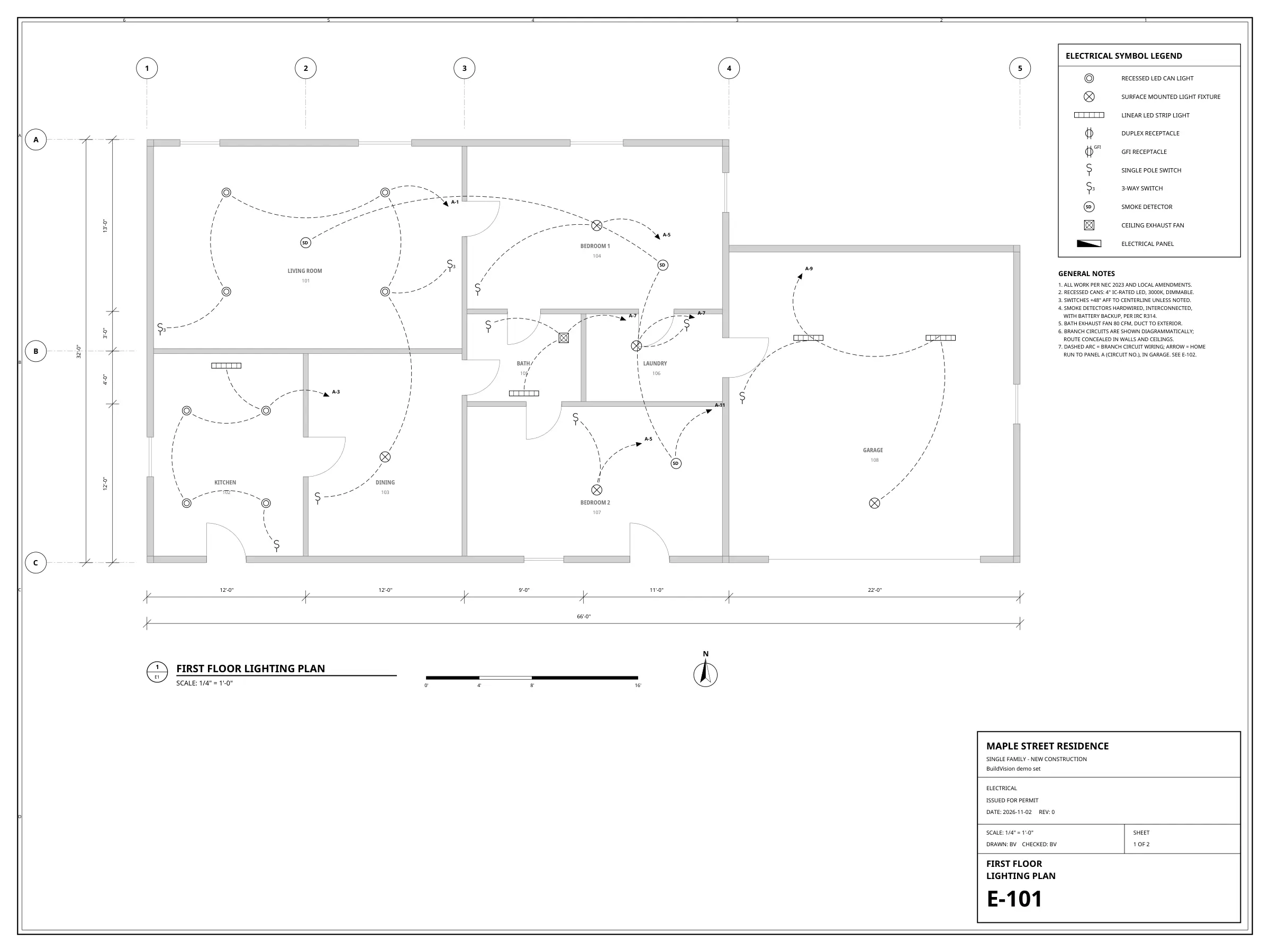
Computer vision identifies symbols and assemblies; you review, override, and lock counts.
- 1,284 fixtures
- 6,310 lf conduit
- 6 ambiguous → review
Apply your assemblies and margins. Export to Excel, Google Sheets, or signed PDF.
See the revenue you’re leaving on the table.
Five numbers. Your real upside in seconds. Adjust the sliders to match your shop.
“Our estimators were burning Saturdays. With BuildVision AI, we went from 4 bids a week to 11 — without hiring. Our hit rate climbed from 22% to 33% in the first quarter.”
Built for the way you actually bid.
Symbol & legend detection
Auto-reads your legend, finds matching symbols across all sheets — even when scales differ.
Linear measurements
Conduit runs, ducts, baseboards, perimeters — pixel-accurate to your scale bar.
Your assemblies
Map detected items to your existing assemblies and unit pricing in one click.
Quote generator
Branded proposals with margins, alternates and exclusions — sent in two clicks.
Audit trail
Every count is traceable back to the marked-up page. Defendable on dispute.
Exports
One-click export to Excel, Google Sheets, and signed PDF. Push your bid where your team works.
BuildVision AI vs the way you bid today.
| Manual / Bluebeam | Legacy estimating SaaS | BuildVision AI | |
|---|---|---|---|
| Time to first count | 2–3 days | 4–8 hours | 9 minutes |
| Setup time | — | 2–6 weeks training | Same day |
| Symbol detection | Manual click | Template-based | AI · 98% conf. |
| Quote generation | Excel re-entry | Separate module | Built in · branded |
| Mobile review | No | No | iOS / Android |
| Starting price | $0 + 2 days labor | $1,200/seat·mo | $299/user·mo |
Answers before you ask.
How accurate is the AI takeoff?
Every takeoff includes confidence scores and review flags. Ambiguous items are surfaced for human review before they hit the quote.
What file types does it handle?
PDF (vector + scanned), DWG, DXF, JPEG/PNG. Up to 800 MB per upload. We OCR scanned legends and reconcile multiple revisions automatically.
Does it work for my trade?
Pre-trained models for electrical, HVAC, plumbing, roofing, concrete, demolition and general civil. If your trade isn't listed, we'll fine-tune on your historical drawings — typically a 5-day onboarding.
How does it integrate with my workflow?
One-click export to Excel, Google Sheets, and signed PDF. Your assemblies and unit rates stay your source of truth.
Is my project data secure?
Drawings are encrypted in transit and at rest. Enterprise plans include DPA support, access controls, and SOC 2-aligned security workflows.
Your next bid set is sitting on someone’s desk right now.
Upload it. We’ll have a priced quote ready before lunch.