Book a demo

AI takeoff and quoting. Set up for your team.

Turn drawings into reviewed quantities and client-ready quotes, using your rates and assemblies. We help you set it up, check the outputs, and train your team—with ongoing support to keep it in use.

  • Explore takeoff, estimating, and quoting.
  • Discuss your drawings and estimating rules.
  • Work out the right setup and support.
  1. 1Your details
  2. 2Choose a time

Tell us what you estimate

A few details, then choose a time on the next screen.

Add drawings or notes (optional)

Share only drawings you are authorized to share. You can bring them to the call instead.

We use these details to arrange your demo. Privacy policy.

No credit card required. Drawings are optional.

The platform you get

From the drawing to the quote, without starting over.

Read plans, review quantities, apply your pricing, and prepare a quote in BuildVision. Your estimators stay in control of the final numbers.

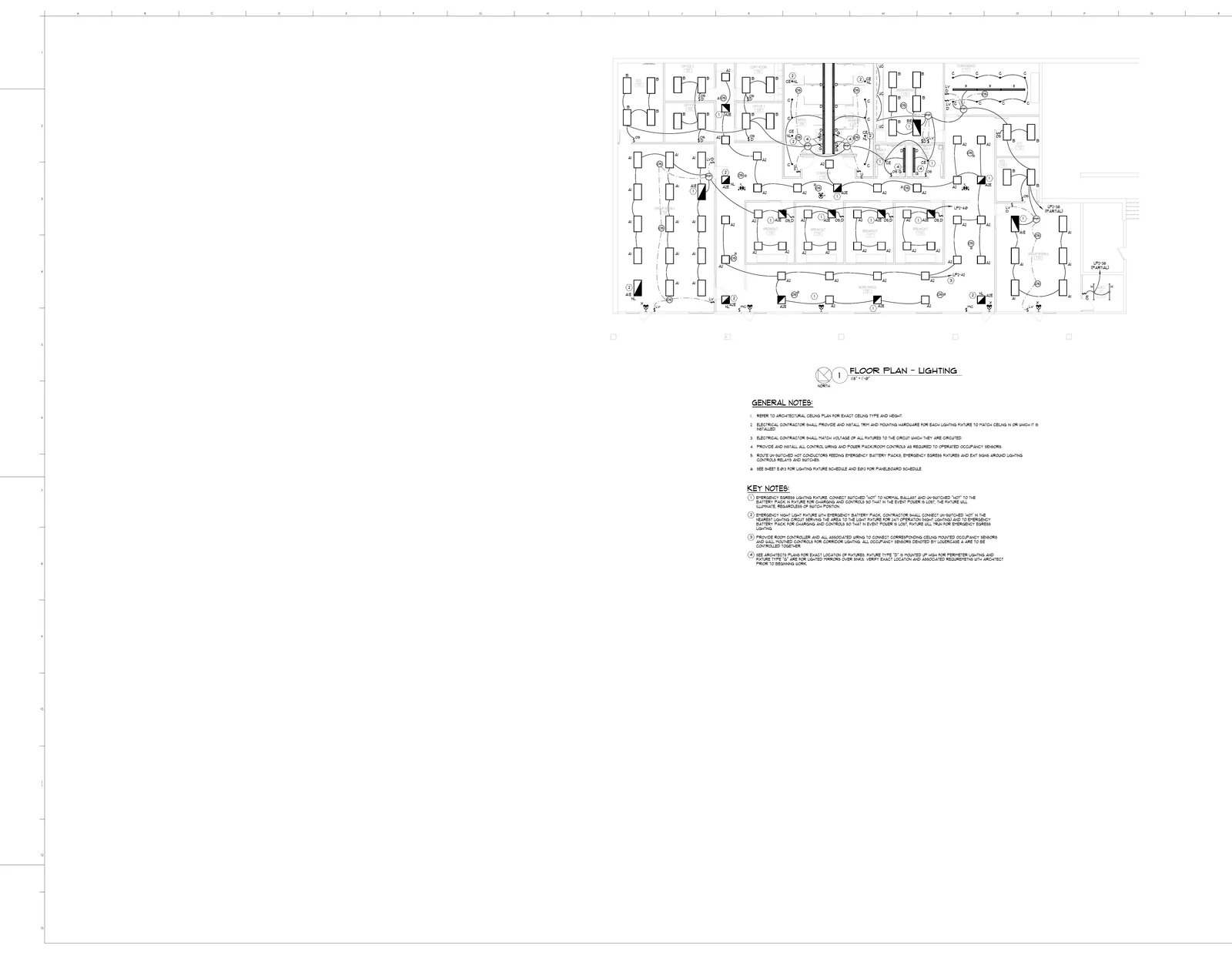
E320 - Electrical Lighting Plan
Golden E320 electrical lighting plan inside the BuildVision takeoff editor.
Dual tech ceiling occupancy sensor
20 EA
92%

Interactive takeoff example using a sample electrical plan. Review the quantities and try the measuring tools.

AI plan reading

Identify symbols, materials, dimensions, and scope in your drawings. Review detections against the original plan.

Quantity takeoff

Count items and measure lengths and areas. Review and adjust the quantities before they go into an estimate.

Quote generation

Use takeoff quantities to build a detailed quote. Add your branding and share the reviewed quote with your client.

Trade-specific workflows

Explore electrical, plumbing, HVAC, concrete, and other trade workflows. Confirm the fit with your own drawings in the demo.

Your rates and assemblies

Use your material costs, labor rates, and assembly libraries so estimates reflect how you price the work.

Projects, teams, and exports

Organize drawings, takeoffs, and quotes by project. Agree team access and export reviewed quantities as CSV.

What you receive

Get the software. Get help putting it to work.

Your proposal shows what we will deliver, what your subscription covers, and what it costs. No guesswork about who handles setup or support.

01 / Custom BuildVision setup

Setup, validation & training

We do the setup work with you, so your team has a process it can use on real estimates.

  • Setup using your estimating rules

    We work through your drawings, trade scope, assemblies, rates, and exclusions before configuring the workflow.

  • Your takeoff and quoting process, configured

    We configure the takeoff, estimating, and quoting steps included in your custom setup.

  • A review of outputs on your plans

    We compare outputs with reference drawings and estimates, then review discrepancies against criteria agreed with you.

  • Training for the people doing the work

    Your team learns how to operate the workflow, review outputs, and approve the final estimate.

The handoff: configured workflows, a reference validation review, and a trained team, within the agreed scope.

02 / Platform subscription

Platform & ongoing support

Keep using BuildVision with the platform access, usage, and support your team needs.

  • Takeoff, estimating, and quoting access

    Keep using the configured workflows, with team access and usage specified in your proposal.

  • Support for your estimating team

    Get help using the configured solution, with support arrangements defined in your proposal.

  • Keep your setup working

    We maintain the configured solution within your service scope and review changes with you.

  • Add another workflow or division

    Bring the next workflow, trade, or division to us for a separate setup and service proposal.

The agreement: recurring fees, usage, support arrangements, and maintenance responsibilities specified in your proposal.

What determines your price?

The work you estimate, the setup you need, and how much your team uses the platform. We discuss these in the demo, then put the setup fees and subscription terms in writing. Additional workflows or divisions can be priced separately.

Book a demo

Workflows & drawing types

Trades, output formats, estimating rules, and process handoffs.

Setup & training

Configuration effort, team needs, and any agreed integrations.

Validation & acceptance

Reference estimates, review responsibilities, and acceptance criteria.

Usage & service

Estimating volume, platform usage, support, and ongoing maintenance.

What happens next

Show us what you estimate. We will walk through the platform, discuss where it fits, and identify the setup and support your team needs.

  1. 01

    Demo & workflow discussion

    Show us what you estimate, how you check it, and where the work gets held up.

  2. 02

    Scope & success criteria

    Agree the workflows, references, deliverables, and how acceptance will be assessed.

  3. 03

    Your setup & subscription quote

    See what we will set up, how we will check it, and what your subscription covers before committing.

Validation is tied to an agreed scope. We compare configured outputs with agreed reference drawings and estimates. Your team retains responsibility for final quantities, pricing, exclusions, and bid approval.

Run the math

Estimate the value of time saved.

Enter your workload and the hours you expect to save per takeoff. Use agreed reference estimates during setup to measure that input.

Bids per month12
Hours per takeoff14
Loaded $ / hour$95
Hours saved per takeoff (your assumption)0
Hours saved / month
0
based on your time-saving assumption
Value of time / month
$0
hours saved × your loaded hourly cost
Remaining hours / month
168
for the same number of takeoffs
Assumed time reduction
0%
set by you; not a measured product result

This is a planning scenario, not a forecast. Time value is not cash savings or additional revenue. Subscription costs, review time and other work affect your result.

Measure it on your own plans
Discuss your drawings and agree what to measure during setup.
Book a demo

Questions about setup and subscriptions

How is pricing established?

We start with a demo and workflow discussion, then agree scope and success criteria. Your proposal reflects the workflows, setup work, estimating volume, and service you need.

What do we pay for?

Your quote separates custom setup fees from the recurring subscription. Setup covers workflow configuration, checks against agreed reference drawings and estimates, and team training. The subscription covers platform access, agreed usage, support, and maintenance. Your proposal sets out the fees and service terms.

Can we add workflows or divisions later?

Yes. Additional workflows, trades, or divisions can be scoped separately, including any new configuration, validation, training, usage, and service requirements.

How do you validate the outputs?

We agree reference drawings and estimates, scope, review responsibilities, and acceptance criteria during the engagement. We compare the configured outputs against those references and review discrepancies together. This does not guarantee universal accuracy or bid outcomes.

Do we need a credit card for a demo?

No. Tell us about your estimating process and choose a meeting time. Drawings are optional; we can discuss your workflow first.

Can we use our existing spreadsheets or accounting software?

Export reviewed takeoff quantities as CSV for your spreadsheet or other tools, and share quotes from BuildVision as a link. There are no direct accounting or estimating-software integrations today. Any integration work would need to be assessed and scoped separately.

What if we already have a subscription?

Existing subscriptions and billing continue under their current terms. Sign in to your account to use the platform or manage billing. Contact us to discuss additional workflows or service.

Already a customer? Sign in to your account.

Book a demo

See how your next estimate could work in BuildVision.

Book a demo around your drawings, takeoff process, and pricing. We’ll discuss the platform and the help your team needs to put it to work.

  • Explore takeoff, estimating, and quoting.
  • Discuss your drawings and estimating rules.
  • Work out the right setup and support.
  1. 1Your details
  2. 2Choose a time

Tell us what you estimate

A few details, then choose a time on the next screen.

Add drawings or notes (optional)

Share only drawings you are authorized to share. You can bring them to the call instead.

We use these details to arrange your demo. Privacy policy.

No credit card required. Drawings are optional.

Pricing & Custom BuildVision Setup | BuildVision AI