
From Takeoff to Customer-Ready Quote
Create the quote from your takeoff in one click. Price each line with your own costs and add the scope, exclusions and terms. Then email the customer a link to view, sign and accept it online.
No credit card required
Szkic oferty
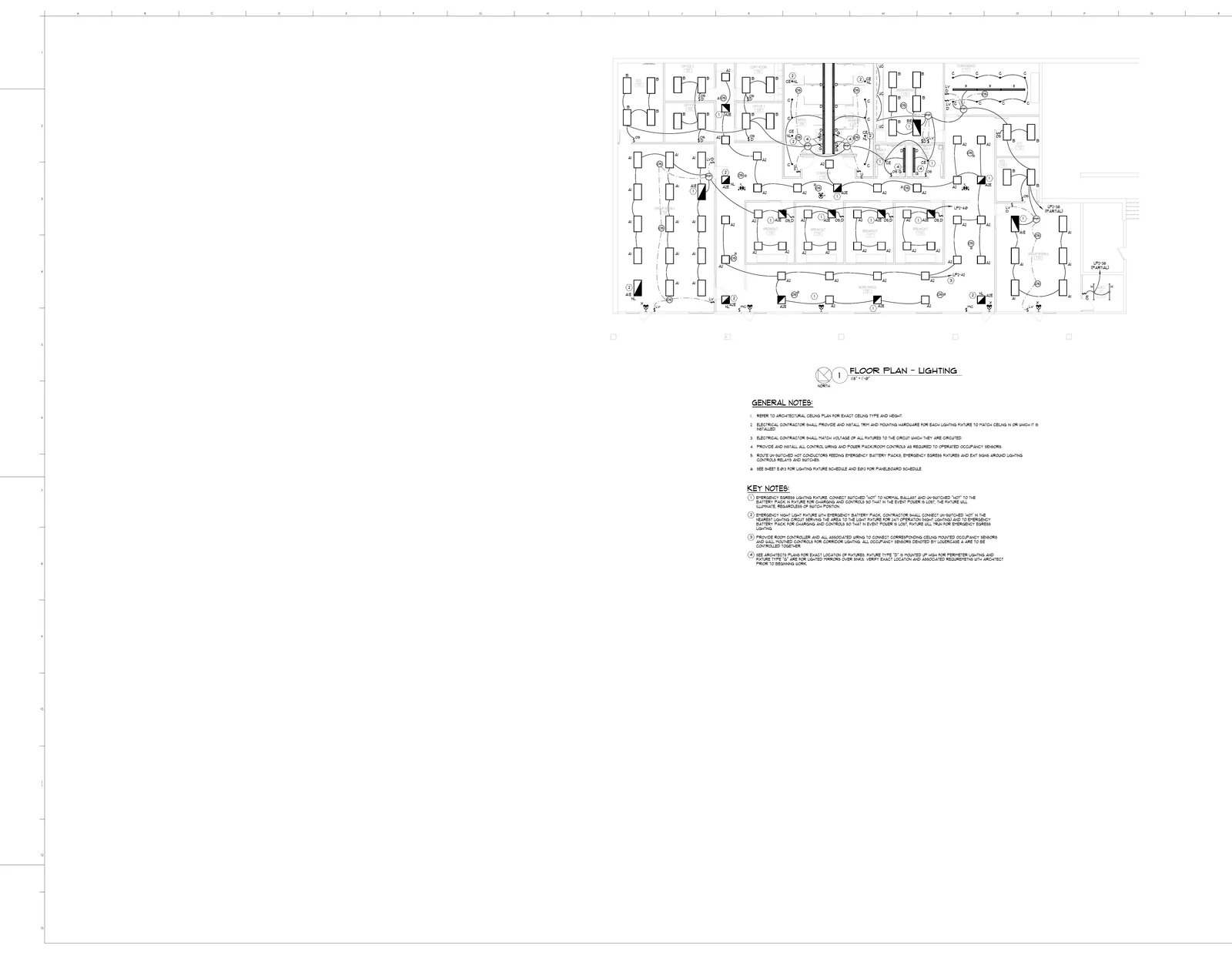
Riverside Office Renovation · E320
23 grup pomiarów z tego arkusza. Przykładowe ceny w USD — wpisz własne stawki.
| Opis / źródło | Ilość | Jedn. | Cena | Wartość |
|---|---|---|---|---|
| 2#12 lighting branch runs | 1,318 | LF | $4,613.00 | |
| A2 - 2'x2' recessed direct | 35 | EA | $5,950.00 | |
| B - 2'x4' shallow plenum LED | 21 | EA | $4,620.00 | |
| Dual tech ceiling occupancy sensor | 20 | EA | $1,700.00 | |
| A1 - 2'x4' recessed direct | 18 | EA | $3,960.00 | |
| C - 4.5" LED downlight | 14 | EA | $2,716.00 | |
| A2E - emergency recessed direct | 9 | EA | $225.00 | |
| Occupancy sensor dimmer | 8 | EA | $680.00 | |
| Occupancy sensor switch | 6 | EA | $510.00 | |
| Ceiling power pack | 6 | EA | $510.00 | |
| 1-pole low voltage dimmer | 5 | EA | $425.00 | |
| X - wall exit sign | 5 | EA | $125.00 | |
| CE/NL - night light downlight | 4 | EA | $100.00 | |
| 1-pole low voltage switch | 4 | EA | $340.00 | |
| Momentary contact switch | 4 | EA | $340.00 | |
| A2E/NL - night light recessed direct | 3 | EA | $75.00 | |
| F - wall mounted fixture | 3 | EA | $75.00 | |
| X - ceiling exit sign | 3 | EA | $75.00 | |
| CE - emergency LED downlight | 2 | EA | $50.00 | |
| A1E/NL - night light recessed direct | 2 | EA | $50.00 | |
| H - pendant fixture | 2 | EA | $50.00 | |
| A1E - emergency recessed direct | 1 | EA | $25.00 | |
| BE - emergency shallow plenum LED | 1 | EA | $25.00 |
Features
Quote From the Takeoff
Create quote in the takeoff editor turns measured items into quote lines. Each line keeps a link back to the sheet it was measured on.
Price With Your Costs
Add materials, labor and subcontractors from Costing, set overhead, and see cost, selling price and profit before tax. Cost and selling price stay separate.
Scope, Exclusions and Terms
Write the scope of work, assumptions, exclusions and payment terms on the quote. Save them as a template and reuse them on the next job.
Send and Accept Online
Email the quote with its total and valid-until date. The customer opens it in the browser and can sign and accept it, or decline it.
Revisions You Can Compare
A sent revision stays exactly as the customer received it. Create a new revision and compare its lines, terms and total with the last one.
In Step With the Takeoff
When the takeoff changes, Update from takeoff brings the new quantities into the quote. Your prices carry over.
How it works
Run the Takeoff
Upload the PDF plans and run the AI takeoff, then check the counts and measurements on the sheet
Create the Quote
Choose Create quote. Measured items arrive as quote lines with their quantities
Price & Write Terms
Price lines from Costing or by hand, then add the scope, exclusions and payment terms
Send It
Email the quote or share its link. The customer opens it in the browser and can sign and accept it
- Quote lines straight from the takeoff
- Cost, selling price and profit on every quote
- Reusable templates for scope and terms
- Online acceptance with a signature
- Sent revisions stay exactly as sent
- Print or save the quote as a PDF
The Problem
- Your estimator spends all day on one set of plans while three more bid requests sit untouched in the inbox
- Quantities get re-typed from the takeoff into a spreadsheet, then into the proposal, and every step is a chance for a mistake
- Every estimator formats quotes differently. Clients see inconsistent proposals and wonder if you are organized enough for the job
Our Solution
- AI does the takeoff and Create quote turns it into quote lines, so your estimator prices instead of counting
- Each quote line links back to its source sheet, and Update from takeoff brings in changed quantities
- Templates hold your scope, exclusions and terms, so every quote reads the same
Send Your First Quote From a Takeoff
Run a takeoff on your own plans and turn it into a quote. No credit card required.
Book a demo
Prefer a walkthrough before you start?
Book a demo on your drawings, or send us one bid package and we will run it through BuildVision and send back the results.
- Explore takeoff, estimating, and quoting.
- Discuss your drawings and estimating rules.
- Or send one bid package and get results back without a meeting.
- 1Your details
- 2Choose a time